Free Resume Builder
JobJam's free resume builder lets you create a resume and a matching cover letter right in your browser: choose a template, edit with a live preview, and download a polished PDF. There's no account to create, no paywall on the download, and nothing is saved to our servers, so your draft stays on your own device.
Build a resume without making an account
Most "free" resume builders ask you to sign up before you can type a single word, then ask for a credit card the moment you click download. JobJam's builder skips all of that.
Open the free builder and you're editing straight away. It even opens with a filled-in sample so you can see what a finished resume looks like instead of staring at a blank page. Replace the sample with your own details, or hit Start over for an empty page and build from scratch.
Pick a template and watch it update live
The builder is split-screen: you edit on the left, and a real preview of the finished page updates on the right as you type. Switch templates from the toolbar and the same content re-flows into a new layout instantly, so you can try a few looks without re-entering anything.
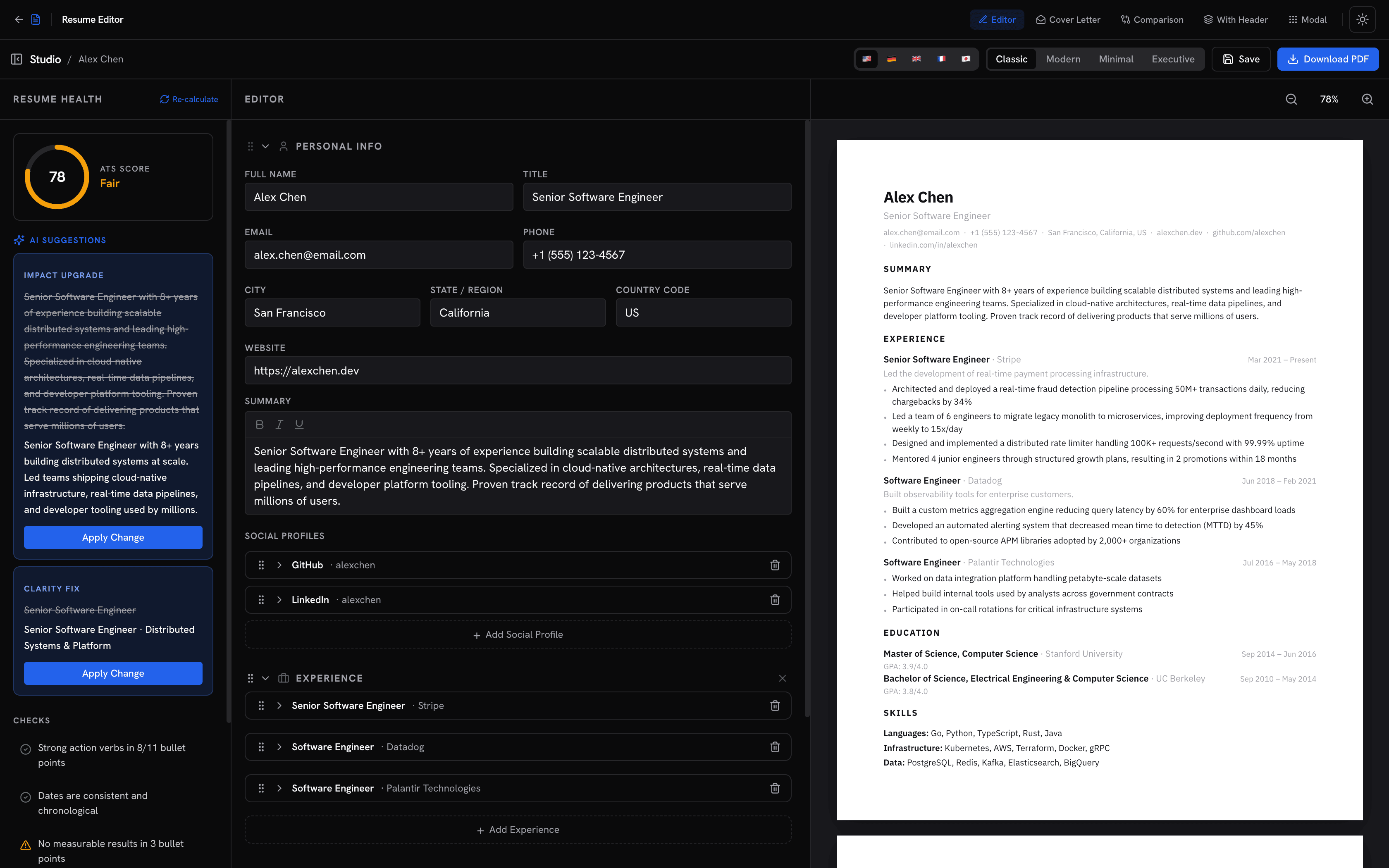 Editing a resume in JobJam's builder with a live page preview
You can reorder sections, add or remove roles and skills, and rename the document. Nothing about the layout is locked behind an upgrade.
A resume and a cover letter, side by side
The builder has two tabs: Resume and Cover Letter. The cover letter editor works the same way, with its own templates and live preview, and it opens with a sample you can rewrite. Build both in one sitting and download them as separate PDFs, ready to attach to an application.
Download a clean, print-ready PDF
When you're happy with it, click Export PDF. You get a properly typeset document, not a screenshot or a watermarked preview, with no sign-up wall in between. Download it as many times as you need while you tweak the wording.
Your draft never leaves your browser
This is the part most builders are quiet about: where your data goes. JobJam's free builder stores nothing on our servers. Your resume lives only in your own browser's local storage, which means it survives a refresh or an accidental tab close, but it isn't tied to any account and we never see it. Clear it any time with Start over.
How to use it
- Open the free resume builder.
- Edit the sample on the Resume tab, replacing it with your own experience, skills, and education, or click Start over for a blank page.
- Pick a template from the toolbar and watch the live preview update.
- Switch to the Cover Letter tab and do the same.
- Click Export PDF to download. That's it, no account required.
When you want it tailored to a specific job
A clean resume gets you to the starting line, but the strongest applications are tailored to each role. That's where the free builder hands off to the rest of JobJam:
- Check your fit before you apply. Paste a job description and evaluate your resume against it to see an ATS-style match score and exactly which keywords and requirements you're missing.
- Optimize without keyword stuffing. JobJam rewrites your resume around a specific job's language while keeping it honest. See how that works.
- Generate a tailored cover letter from your real experience and the job description, not a generic template. More in the cover letter guide.
The builder is free and unlimited. The tailoring tools run on JobJam's one-time credit model: no subscription, no auto-renewal. See pricing →